Where did
I put that?!
A small revolution, hiding in plain sight.
So simple, so obvious, you’ll wonder why nobody thought of it before.
Meet OkiDocky.
The app that remembers where you put things.
Two taps. Nothing else.
The power bank for the holidays. The passport. Those tennis shoes put away “just for a moment”.
You know you have it.
But where?
With OkiDocky, when you put something away, you type what and where. Two taps. Nothing else.
When you need it, you search. There it is!
Introducing

OkiDocky®
Two taps. Nothing else.
The new app for iPhone and iPad that remembers where you put things. Type what and where: it takes care of the rest.

1 · Save
Today.
You put it away.
Two taps and OkiDocky remembers.
2 · Find
Three months later…
You find it.
You need your passport. Where did you put it? Ask OkiDocky.
- Free for up to 10 items
- No account
- No ads
- iPhone and iPad · iOS 26

Here’s the small revolution.
You remember what you put away.
OkiDocky remembers where.
That’s it.
- You don’t have to remember the place.
- You don’t have to take photos.
- You don’t have to stick anything on anything.
Just tell OkiDocky.
1 · Save
Today.
You put it away.
Two taps and OkiDocky remembers.
Open.
A brand-new memory, all yours. Still empty: there’s just the +.
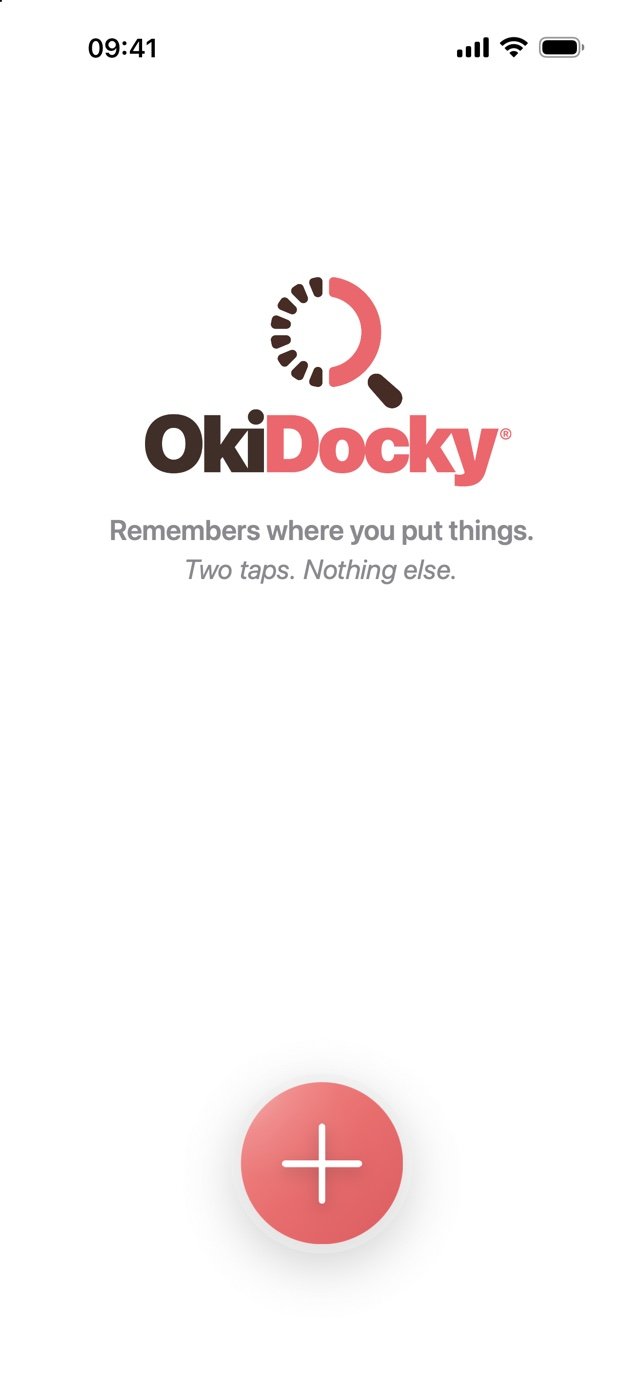
Tap + and type what.
First tap. “Passport”: one word is enough.
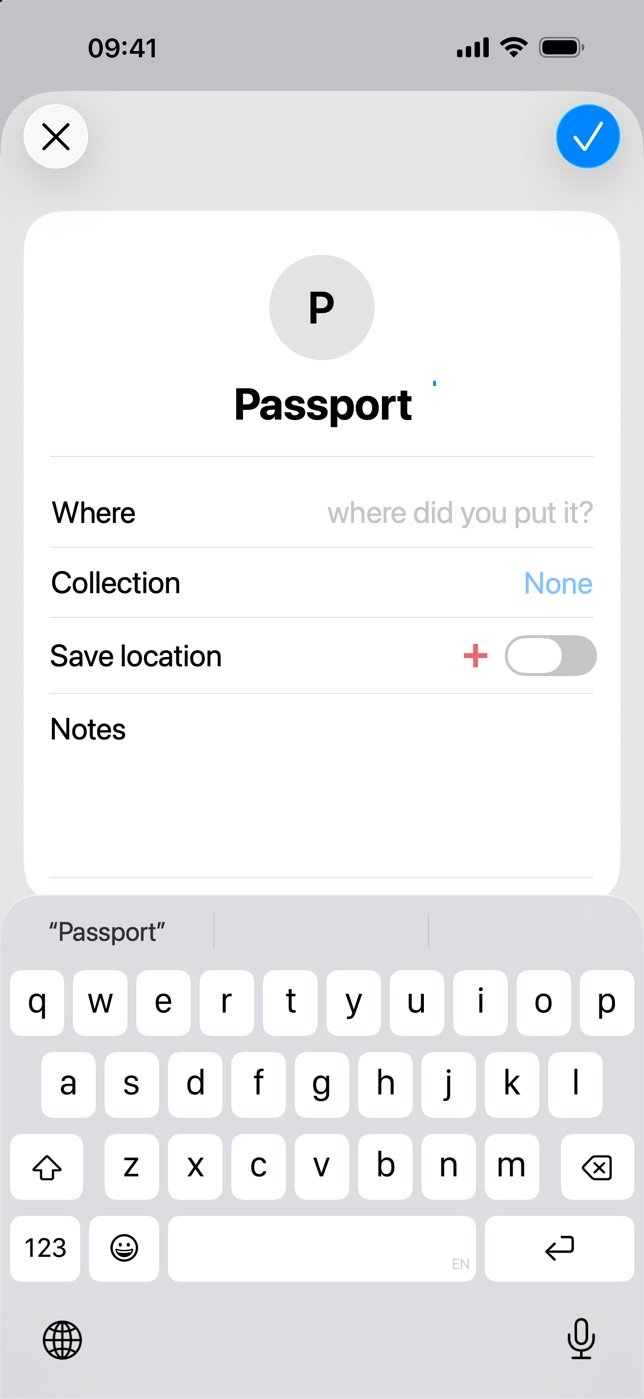
Type where. Done.
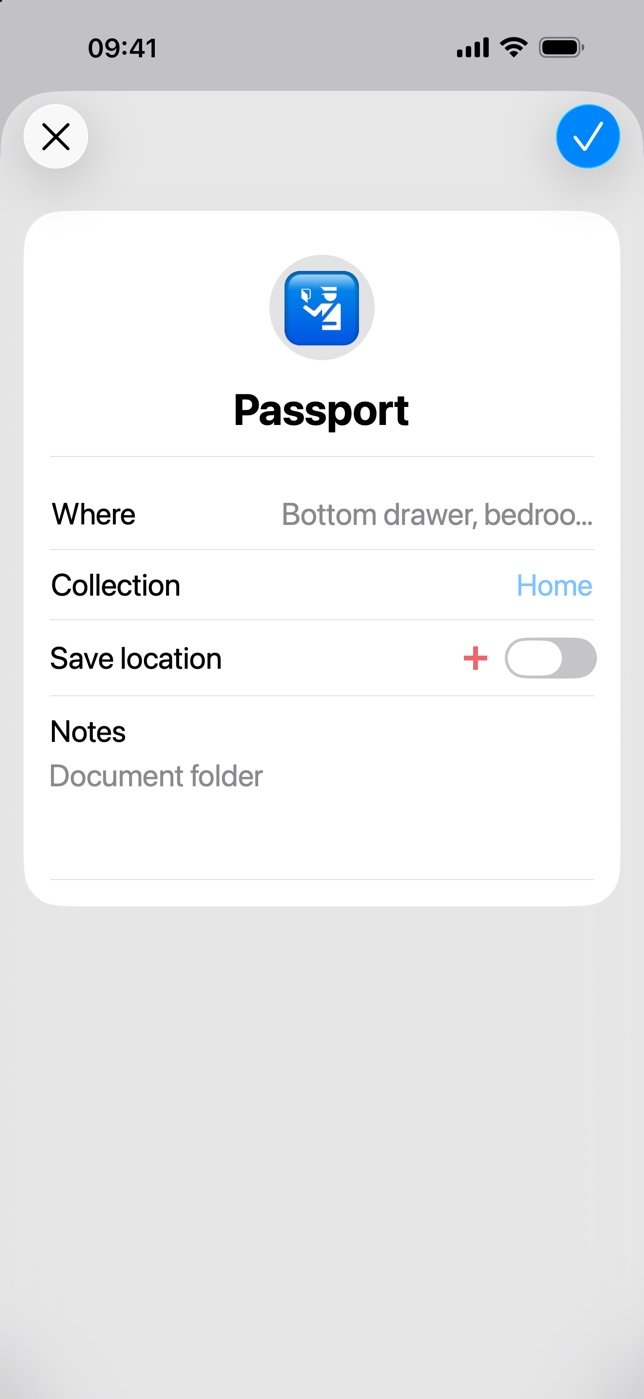
“Bottom drawer, bedroom dresser”. Second tap: saved.
2 · Find
Three months later…
You find it.
You need your passport. Where did you put it? Ask OkiDocky.
Search.
Type “passport”: you find them all, as you type.
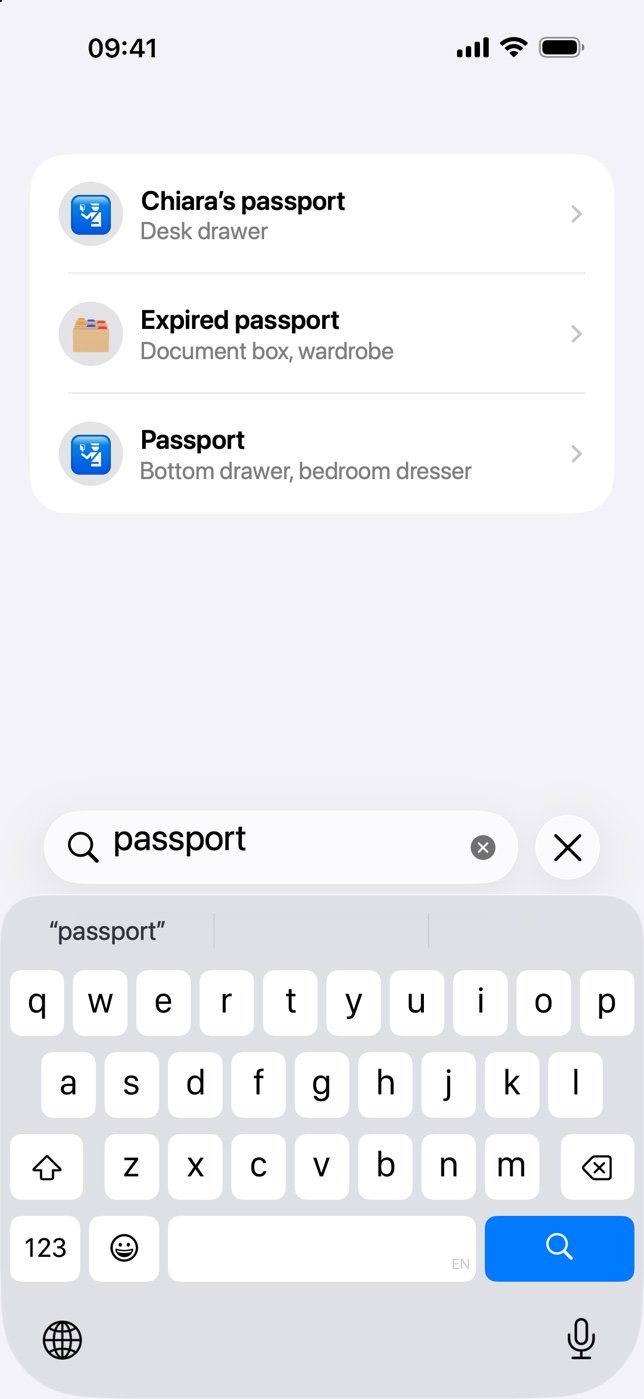
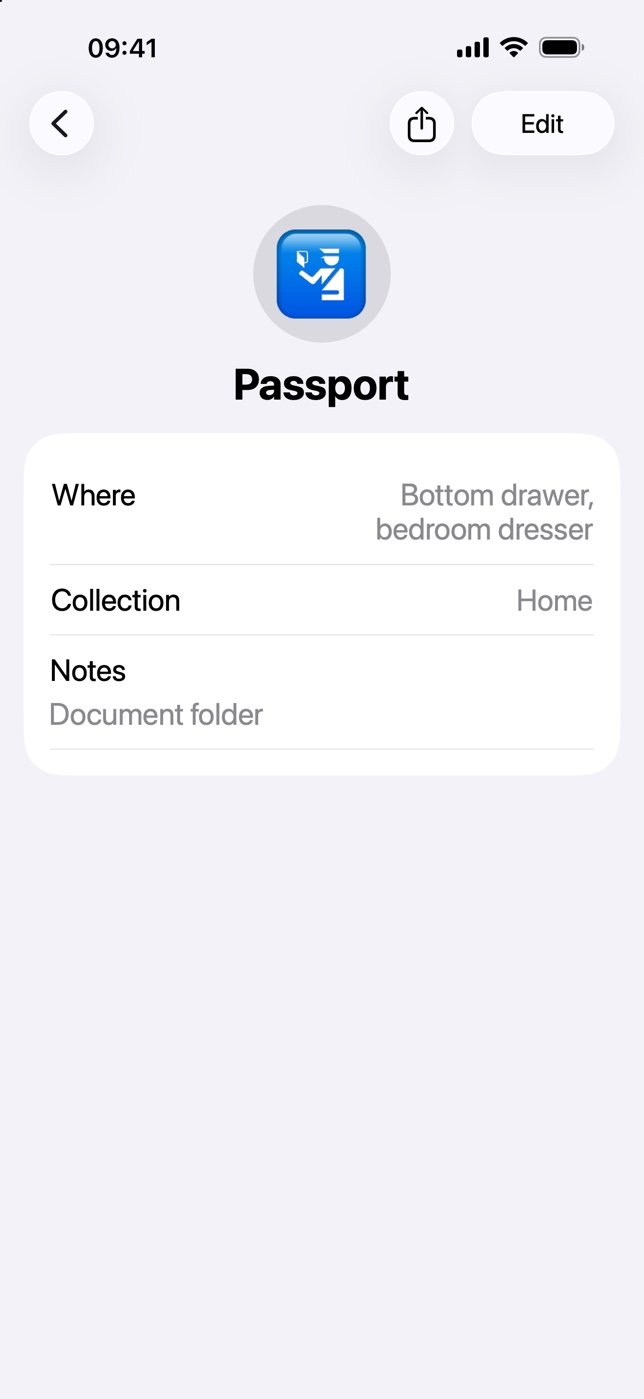
There it is.
Bottom drawer, bedroom dresser. With your notes and, if you like, the spot on the map.
Where did I put the keys?
Where on earth is the passport?
Has anyone seen the tennis balls?
The Christmas decorations… attic? Cellar?
And the washing machine warranty?

Oh, there
it is!
The face you’ll make next time you look for something.
The answer
is in your pocket.
An idea so simple it didn’t exist
A tracker.
Minus the tracker.
Nothing to buy, stick on or charge. No barcodes, no photos. Just the iPhone you already have.
OkiDocky doesn’t chase your things: it remembers where you put them. And that’s almost always where they are.



Grandma-proof
If you can send a text,
you can use OkiDocky.
No manual, no settings, no sign-up. Open the app, tap +, type. Done.
- No sign-up
- No setup
- Works offline
- No ads
The rest, when you need it.
That’s it.
And it’s a lot.
Type what, type where. Done. There’s more, but it stays out of your way.
Colour-coded collections
Home, Cellar, Office, Car, Travel.
Instant search
Names, places, collections and notes, as you type.
Trash
Nothing is lost by accident.
Share
Tell anyone where something is.
Export and import
A complete backup. Always yours.
Right from the Home Screen
Touch and hold the icon: New Item or Search, without opening the app.
Privacy
Your things are
your business.
OkiDocky is designed to know as little about you as possible.
No account
No sign-up, no password.
On your iPhone
Your items stay on your device. We never see them.
Zero tracking
No ads, no analytics, no profiles.
Never held hostage
If you go back to free, what you saved stays yours.

Remember everything.
Without counting.
Ten items are just the beginning? OkiDocky+ gives you all the room you want. The same simplicity, with unlimited items and collections.
With iCloud sync and backup. And one purchase covers the whole family: up to 6 people.
Unlimited items and collections
From the keys to the whole cellar. You don’t have to choose what to remember.
The spot, on the map too
Save the item’s GPS location. And share it when you need to.
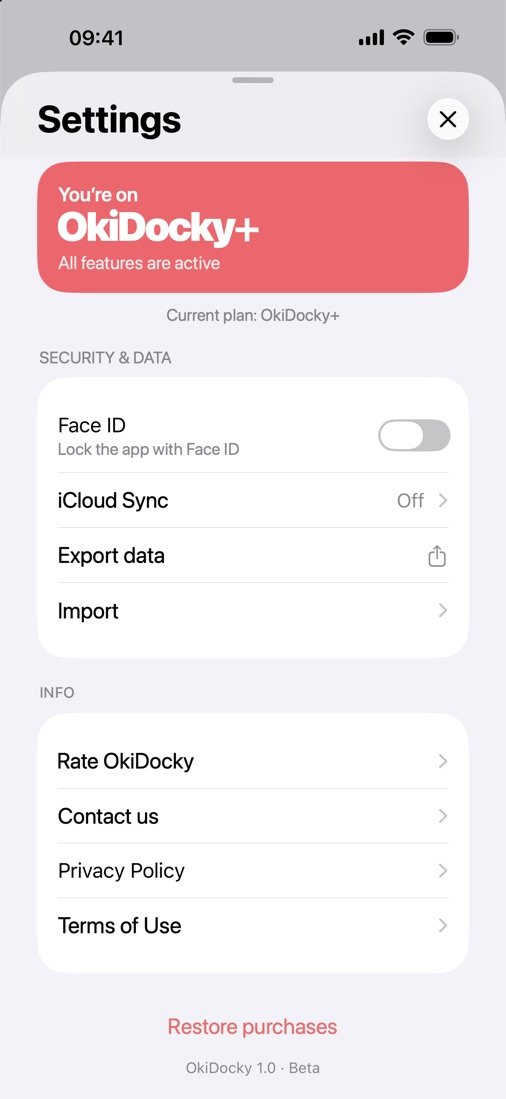
Face ID. Your business.
Protect access to your items with Face ID.
Plus: multi-select, emoji for collections, iCloud sync and backup. Annual and Forever unlock the same features. And with one purchase, OkiDocky+ is for the whole family.
Pricing
Free.
Really.
10 items to fall in love. Then, if you like, OkiDocky+ removes every limit.

- Up to 10 items
- Collections, search, notes and emoji
- Trash and restore
- Sharing
- Export and import
- — GPS location
- — Face ID
- — Multi-select

or €9.99 forever1One purchase for the whole family: up to 6 people.
- Unlimited items and collections
- Collections, search, notes and emoji
- Trash and restore
- Sharing
- Export and import
- GPS location
- Face ID
- Multi-select
- Collection emoji
- iCloud sync and backup
Annual and Forever unlock exactly the same features. Purchases are handled by Apple through the App Store.
“Every design decision went through one question: does this add a tap? If it did, we took it out.”
The OkiDocky team
Questions? Answers.
Which devices does it run on?
iPhone and iPad with iOS 26 or iPadOS 26, or later.
Do I need an account or internet?
No. No sign-up: your items are saved on your iPhone and the app works offline.
How much does it cost?
It’s free for up to 10 items. OkiDocky+ removes every limit: €4.99 a year with a 7-day free trial, or €9.99 once, forever.
Can I share OkiDocky+ with my family?
Yes. With Apple’s Family Sharing, one purchase covers your whole Family group, up to 6 people. Everyone has their own app and their own items: nobody sees anyone else’s.
What if I stop paying?
You go back to the free plan and everything you saved stays visible, searchable and editable. Only adding beyond the limit is blocked.
Can I take my data with me?
Yes. From Settings you export a complete backup and import it whenever you like, even on the free plan.
How do I contact support?
Write to support@okidocky.app or, in the app, Settings › Contact us.
Next time,
you’ll know where.
OkiDocky is coming to the App Store. Start free, with 10 items.